In video surveillance systems, PoE has become a common power supply method for IP camera deployments. It transmits both data and power through a single Ethernet cable, thereby simplifying installation and enabling centralized power management.
Different cameras may have varying PoE power requirements. Therefore, when designing a power supply solution for IP cameras, multiple factors should be considered. For example: max power use, total switch power, per-port power, port count, bandwidth, cable quality, and transmission distance.
This article will systematically introduce PoE selection methods for video surveillance systems by examining various aspects of PoE.
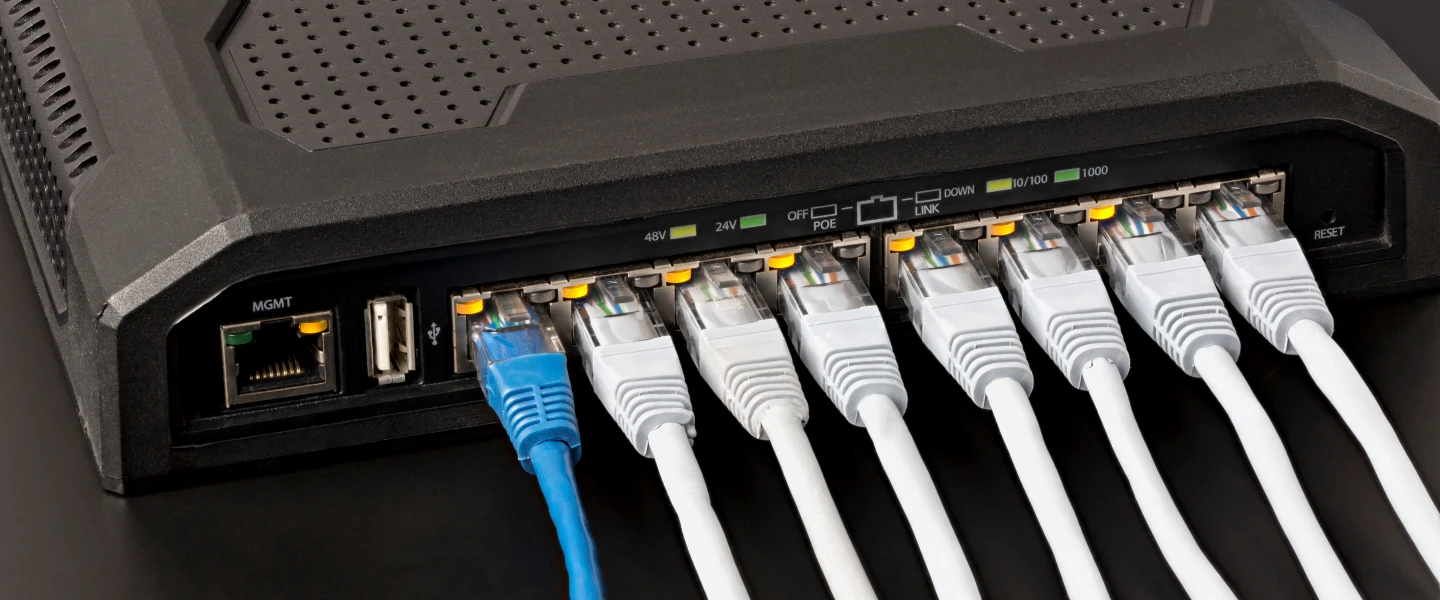
I. PoE Standards at a Glance: What You Need to Know Before Selecting an IP Camera
The most common PoE standards currently used in video surveillance systems include IEEE 802.3af, IEEE 802.3at, and IEEE 802.3bt.
PoE Standard Comparison Table
|
PoE Standards
|
IEEE Type
|
Maximum Power at the PSE End
|
Typical Surveillance Applications
|
|
PoE
|
802.3af / Type 1
|
15.4W
|
Standard bullet cameras, basic dome cameras
|
|
PoE+
|
802.3at / Type 2
|
30W
|
PTZ cameras, infrared cameras, smart cameras
|
|
PoE++
|
802.3bt / Type 3
|
60W
|
High-power PTZ cameras, multifunctional devices
|
|
PoE++
|
802.3bt / Type 4
|
90W
|
High-power surveillance equipment, select multi-sensor devices
|
The power a camera receives is lower than the PSE’s maximum output. When selecting a camera, use the manufacturer’s maximum power use and PoE requirements.
II. How Much Power Do Cameras Actually Need? — The Precise Starting Point for PoE Selection
A camera’s power use depends on features like infrared LEDs, PTZ motors, heating and defogging, and AI analysis. Therefore, PoE design should not be based solely on daytime or typical power consumption.
A preliminary estimate can be made for common devices:
Standard fixed cameras: Approximately 5–10 W
Infrared cameras: Approximately 7–15 W
Smart analytics cameras: Approximately 10–20 W
PTZ dome cameras: Approximately 20–30 W or higher
Outdoor cameras with heating: Varies by specific model
The figures above are for preliminary estimation only; the manufacturer’s specifications should be the final authority.
When selecting a device, focus on the following:
Maximum power consumption + PoE standard + PoE Class + Additional features such as infrared and heating.
III. How to Choose a Power over Ethernet Switch - Four Steps to Follow
1. Calculate the Total PoE Power
Basic formula:
PoE power budget = Sum of the maximum power consumption of all cameras × Design margin
2. Check the Power per Port
Just because the total power is sufficient doesn’t mean every port can meet the requirements.
Therefore, you must also check: the maximum output per port, the total PoE budget for the device, and the supported PoE standards.
3. Determine the Number of Ports
We recommend following this guideline:
Required Ports ≥ Current Number of Devices + Future Expansion Needs
Also consider other PoE devices such as wireless access points, IP phones, and access control systems.
4. Evaluate Network Bandwidth
A PoE switch not only supplies power but also transmits video data. The more cameras you add, and the higher their resolution and bitrate, the more switch and uplink bandwidth you need.
For new surveillance projects, use Gigabit PoE access switches. For medium to large projects, you can use the following architecture:
Cameras → Gigabit PoE Access → High-Speed Uplink → Aggregation/Core → NVR/Server
IV. How to Choose Power over Ethernet Switches, Injectors, and Extenders?
PoE switches are suitable for new surveillance projects, as they allow for centralized power supply and management, simplifying cabling.
PoE injectors: Suitable for retrofitting existing systems. If the existing switch does not support PoE, an injector can be used to add PoE functionality.
PoE Extenders: Ideal for deploying cameras over long distances. When copper cable links exceed standard distances, consider using PoE extenders, intermediate switches, or fiber-optic solutions.
V. Network Cables and Distance Also Affect PoE Stability
Since PoE transmits power through network cables, cable quality affects voltage drop and power supply stability.
For engineering projects, choose copper network cables that meet standard, avoid low-quality cables.
Common Options:
Cat5e: Suitable for standard PoE and Gigabit networks
Cat6: Suitable for new Gigabit PoE projects
Cat6A: Suitable for higher-performance networks and demanding PoE applications
Standard copper Ethernet links are typically designed for distances of 100 meters or less. If the actual distance exceeds 100 meters, alternative solutions should be sought. For example, consider using extenders, intermediate switches, or fiber optics. Simply increasing the PoE power is not a viable solution.
VI. The 6 Most Common Mistakes in Selecting PoE for Video Surveillance
1. Calculating power consumption based on typical usage without accounting for nighttime infrared and heating power consumption.
2. Assuming the switch’s total PoE power output is the power that each port can deliver.
3. Using a switch that only supports 802.3af for cameras that require 802.3at.
4. Using low-quality network cables, resulting in voltage drops and unstable power supply.
5. Failing to allow for port and power capacity, requiring a switch replacement during future expansion.
6. Using non-standard or PoE devices with unverified compatibility.
VII. What to Do When Cameras Won’t Power On or Disconnect at Night: A Four-Step Troubleshooting Guide
Step 1: Check the PoE status
Verify that the port supplies power normally. Ensure that neither the per-port output nor total output exceeds the limit.
Step 2: Check the network cable
Use a cable tester to verify the pinout, connectivity across all 8 wires, cable quality, and length.
Step 3: Check compatibility
Confirm that the camera and switch support the corresponding 802.3af/at/bt standards, and review the relevant configurations.
Step 4: Perform a replacement tes
Use a standard camera or Ethernet cable to run a quick cross-test and find the problem source.
VIII. FAQs on Selecting PoE for Video Surveillance
Q1:How do you determine whether a camera requires Power over Ethernet (af, at, or bt)?
Check the PoE standard and maximum power consumption listed in the camera manufacturer’s specifications.
Q2: How many cameras can a single Power over Ethernet switch support?
Basic calculation: Number of cameras ≈ Total PoE budget ÷ Maximum power consumption per camera
However, actual capacity is also limited by the number of ports, power headroom, and network bandwidth.
Q3: Why do cameras lose connection at night when the infrared lights turn on?
A common cause is higher power use when the infrared lights turn on. This can exceed the PoE power limit of one port or the whole switch. You should also check the quality and length of the network cables.
Q4: Can Power over Ethernet extend beyond 100 meters?
Standard copper cable links are typically designed for 100 meters. To exceed this distance, you can use solutions such as PoE extenders, intermediate switches, or fiber optics.
IX. Summary: A 6-Step Checklist for Selecting PoE Equipment
Make a list: Confirm the camera models, quantity, maximum power consumption, and PoE standard.
Calculate power: Total maximum power consumption × design margin.
Verify standards: Confirm that the cameras’ PoE capabilities match the per-port PoE capacity of the switch.
Determine ports: Current number of devices + future expansion needs.
Select Network Cables: Choose appropriate copper cables based on bandwidth, power requirements, and distance.
Verify Compatibility: Check for overall compatibility among the cameras, switches, network cables, and NVR.
In short, when selecting PoE for video surveillance, you cannot simply look at “how many ports the switch has”. Instead, you must consider the cameras’ maximum power use, PoE standards, and total power budget. Also consider per-port capacity, network bandwidth, transmission distance, and future expansion needs.
